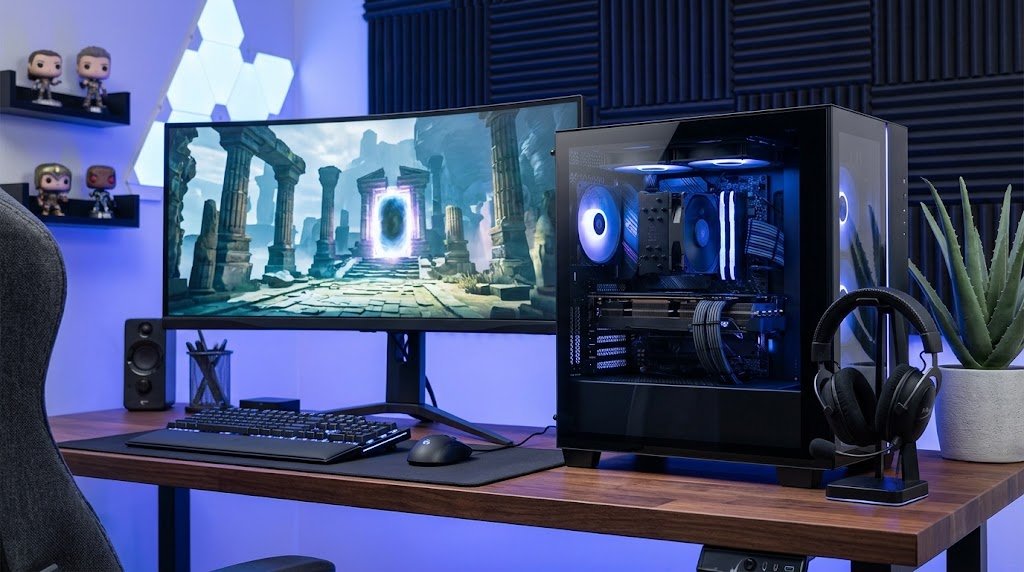
A gaming computer can make a big difference to your overall gaming experience. Whether you enjoy competitive multiplayer games, open world adventures, racing games, or creative simulation titles, the right hardware helps you enjoy smooth gameplay and responsive controls. However, choosing a gaming desktop can be confusing because there are so many processors, graphics cards, memory options, and storage configurations available.
A Skytech Gaming PC is one option worth researching if you want a prebuilt gaming desktop. Instead of purchasing every component separately and assembling the computer yourself, you can choose a system that comes with its main hardware already installed. This approach can make the buying process easier for people who are new to PC gaming.
Skytech Gaming offers gaming desktops with different hardware configurations and designs. Some systems are intended for gamers looking for a more affordable entry point, while others use powerful components for demanding games and higher resolution gaming. The best choice depends on your budget, the games you play, and the performance you expect.
In this guide, we will explore Skytech Gaming PCs, their specifications, performance considerations, potential advantages, and possible drawbacks. You will also learn how to compare models, understand customer reviews, and choose a gaming desktop that offers suitable value for your needs.
Table of Contents
What Is a Skytech Gaming PC?
A Skytech Gaming PC is a desktop computer sold by Skytech Gaming, a company that specializes in prebuilt and configurable gaming computers. These systems combine components such as a processor, graphics card, RAM, storage drive, motherboard, power supply, and cooling hardware inside a desktop case.
The main benefit of a prebuilt gaming computer is convenience. Rather than researching every individual component, checking compatibility, and assembling the system, buyers can select a complete configuration. This can be particularly helpful for first-time PC gamers who want to spend more time playing games and less time learning how to build a computer.
However, not every Skytech Gaming PC offers the same performance. Two desktops from the same company can have very different processors, graphics cards, memory capacities, and storage options. Therefore, it is important to examine the exact specifications of the model you are considering instead of judging a system only by its brand name or appearance.
How a Prebuilt Gaming Desktop Works
A prebuilt gaming desktop arrives with its main components installed and configured. Depending on the package, it may include an operating system and certain accessories, but buyers should always confirm exactly what comes with the selected model.
After delivery, the owner typically connects the monitor, keyboard, mouse, and power cable, completes the initial operating-system setup, and installs or updates the necessary software. Once everything is configured, the computer can be used for compatible games, school projects, everyday computing, and other tasks supported by its hardware.
The convenience of a prebuilt system does not remove the need for basic maintenance. Keeping drivers updated, allowing sufficient airflow, cleaning dust carefully, and monitoring temperatures can help maintain reliable performance over time.
Who Is Skytech Gaming?
Skytech Gaming is a computer brand focused on gaming desktops and related PC products. Its official website presents prebuilt systems as well as options for customers who want to configure a computer according to their needs. The company lists systems using hardware from established component manufacturers, with configurations varying by model and availability.
The brand may appeal to customers who want a dedicated gaming computer without assembling every part themselves. A range of configurations also makes it possible to compare different performance levels, from systems designed for more modest gaming requirements to high end desktops built for demanding workloads.
When researching the company, use official product specifications and warranty information alongside independent customer feedback. Marketing descriptions can help you understand the intended purpose of a computer, but real specifications and documented policies are more useful when making a purchase decision.
What to Know About the Brand
Skytech Gaming offers several desktop styles and hardware combinations. Depending on the model, buyers may find modern AMD or Intel processors, NVIDIA GeForce or AMD Radeon graphics cards, DDR4 or DDR5 memory, and solid state storage.
The exact combination matters more than the product name alone. For example, two desktops with similar looking cases may have substantially different graphics performance. Checking the full component list can help you understand what you are paying for and whether the machine suits your intended games.
It is also sensible to review the seller’s return policy, shipping conditions, warranty terms, and support options before ordering. These details are especially important for expensive electronics because they can affect what happens if a component arrives damaged or develops a problem later.
Why Are Skytech Gaming PCs Popular?
One reason prebuilt gaming desktops attract attention is that they simplify the process of buying a computer. Building a PC can be enjoyable, but it requires research, component compatibility checks, assembly, cable management, and software configuration. A prebuilt system reduces much of that initial work.
Another attraction is the variety of hardware options. Gamers have different priorities: one person might want an affordable desktop for esports titles, while another may need stronger graphics performance for demanding games. A range of configurations allows buyers to compare systems based on their needs instead of choosing a single standard setup.
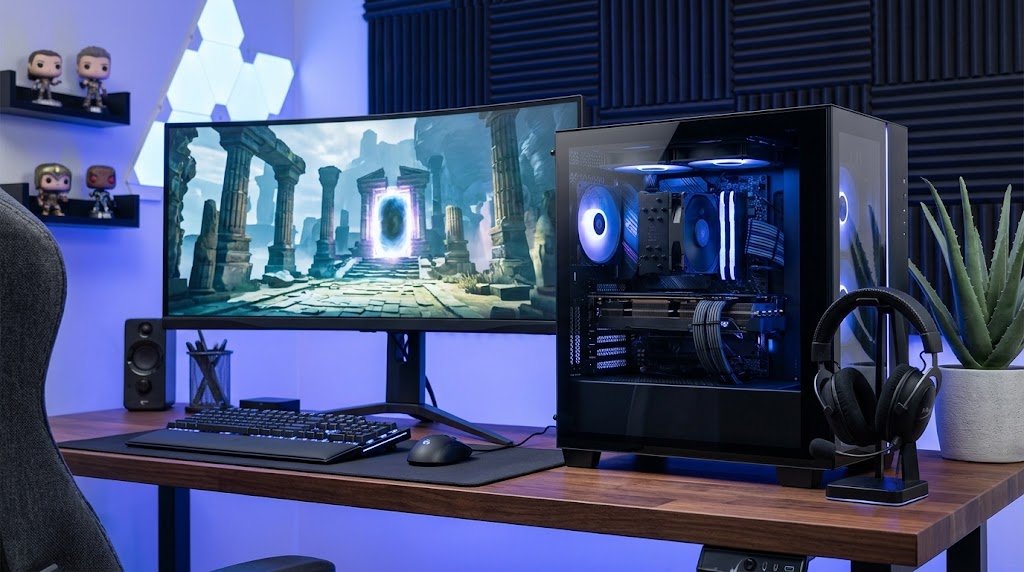
Appearance can also influence buying decisions. Many gaming desktops feature glass side panels, RGB lighting, modern cases, and visible internal components. These design choices can make a setup look attractive, although lighting and appearance should not replace careful evaluation of performance, cooling, and component quality.
Convenience for New PC Gamers
For beginners, a prebuilt desktop can reduce uncertainty. New PC gamers may not know which processor works well with a particular graphics card, how much memory they need, or which power supply is appropriate for a configuration.
Buying a complete system gives beginners a starting point with the core components already installed. They can learn about gaming performance, settings, and upgrades gradually instead of managing every technical decision before playing their first game.
Still, beginners should learn the basics of their chosen machine. Understanding its ports, storage capacity, warranty coverage, and upgrade options makes it easier to troubleshoot problems and make sensible improvements later.
Main Features of Skytech Gaming Desktops
The features of a Skytech Gaming PC depend on the exact configuration. Many gaming desktops are designed around dedicated graphics, modern processors, solid state storage, and cooling systems intended to handle gaming workloads. Some models also emphasize RGB lighting and cases with transparent side panels.
A dedicated graphics card is particularly important for modern PC games because it performs much of the work required to render detailed environments, lighting, textures, and visual effects. A suitable processor, enough RAM, and fast storage also contribute to the overall experience.
Buyers should distinguish between features that improve performance and features that mainly improve appearance. RGB lighting can make a gaming setup more attractive, but it does not automatically increase frame rates. Similarly, a large case does not guarantee better cooling unless its airflow design and installed cooling components are suitable.
Design and Build Quality
A desktop’s case affects its appearance, airflow, internal space, and future upgrade options. Some gaming cases offer mesh panels for airflow, while others prioritize a glass sided design that displays the internal components. Neither approach is automatically better in every situation; the complete design matters.
Cable management is another useful consideration. Neatly routed cables can make the inside of a computer easier to inspect and may help avoid obstructing fans. However, buyers should also look at fan placement, dust filters, and available room for future components.
Before buying, check the dimensions of the desktop and confirm that it will fit comfortably on or under your desk. A powerful gaming PC can be relatively large, and sufficient space around the case helps maintain airflow.
Cooling and Noise
Gaming computers generate heat because their processors and graphics cards use substantial power during demanding tasks. Cooling systems help move that heat away from the components and prevent temperatures from rising beyond suitable operating levels.
Depending on the model, a Skytech Gaming PC may use air cooling, liquid cooling, or a combination of case fans and component specific cooling. The number of fans alone does not tell the whole story. Fan quality, airflow direction, case design, and the amount of heat produced by the hardware all matter.
Noise levels can also influence comfort. Powerful fans may become more noticeable during demanding games, while poorly managed airflow can contribute to higher temperatures. If quiet operation is important to you, look for independent testing or customer feedback about noise and temperatures for the specific configuration.
Understanding Skytech Gaming PC Specifications
Understanding the main hardware specifications is one of the best ways to compare gaming desktops. Product names and colourful images can attract attention, but the processor, graphics card, RAM, and storage determine much of the computer’s practical capability.
A balanced system is usually more useful than one with a powerful component paired with several limitations. For example, a strong graphics card can deliver excellent results in many games, but the overall experience may suffer if the computer has insufficient memory, limited storage, or inadequate cooling.
The following sections explain what to look for when comparing a Skytech Gaming PC with other prebuilt gaming desktops.
Processor
The central processing unit, commonly called the CPU or processor, handles many calculations required by games and other applications. It can affect frame rates, game logic, background tasks, and performance in CPU intensive titles.
Skytech systems may use processors from AMD or Intel, depending on the configuration. Rather than choosing a computer solely because it has a particular processor brand, compare the exact model, generation, core capabilities, and independent performance results.
Different games place different demands on a CPU. Competitive titles with high frame rate targets may benefit from strong CPU performance, while some graphically demanding games depend more heavily on the graphics card at higher resolutions. A balanced combination is generally the most sensible choice.
Graphics Card
The graphics processing unit, or GPU, is one of the most important components in a gaming computer. It determines how effectively a system renders detailed graphics and can have a major impact on frame rates, resolution, and visual settings.
Some Skytech Gaming configurations use NVIDIA GeForce graphics cards, while others use AMD Radeon GPUs. Performance varies considerably between individual models, so it is important to compare the exact GPU rather than assuming that every card from one brand performs similarly.
Think about the games you want to play and the monitor you plan to use. A system intended for casual gaming at 1080p may not need the same graphics power as a computer intended for demanding games at 1440p or 4K. Checking benchmarks for your preferred games can help you avoid paying for performance you may not need.
RAM and Memory Capacity
RAM is temporary memory used by the operating system, games, and running applications. Having enough RAM helps a computer manage multiple tasks and can reduce performance problems caused by memory limitations.
Many modern gaming desktops offer 16GB or 32GB of RAM, although configurations vary. Sixteen gigabytes can be suitable for many gaming situations, while 32GB may provide additional flexibility for newer games, multitasking, streaming, and creative applications.
Memory capacity is only one consideration. The memory generation, speed, number of modules, and motherboard support can also matter. Before upgrading RAM, confirm the motherboard’s compatibility and the system’s current configuration.
Storage and Loading Times
Storage determines how much room you have for Windows, applications, games, screenshots, recordings, and other files. A solid state drive, or SSD, generally provides much faster loading and file access than a traditional mechanical hard drive.
Many current gaming desktops use NVMe SSDs, which offer fast storage through a compatible interface. A 1TB drive may be a reasonable starting point for a gaming library, but players who install many large titles may prefer 2TB or more.
Consider whether the computer provides additional storage slots or connectors for future expansion. Installing more storage can be useful as your game collection grows, but the available upgrade options depend on the motherboard, case, and existing configuration.
Power Supply and Motherboard
The power supply unit provides electricity to the computer’s components. It should have sufficient capacity and appropriate connectors for the processor, graphics card, and other hardware. A suitable power supply is essential for stable operation, especially when a system uses a high performance GPU.
The motherboard connects the main components and determines important features such as supported processors, memory compatibility, storage connections, expansion slots, and networking options. It can also affect how easily the computer can be upgraded in the future.
When comparing prebuilt PCs, do not ignore these parts simply because the processor and graphics card receive more attention. Checking the listed motherboard and power supply specifications can provide a clearer picture of the overall system and its upgrade potential.
Skytech Gaming PC Models and Product Families
Skytech Gaming has offered multiple desktop product families, including names such as Blaze, Azure, Chronos, and Prism. These names describe product lines or designs, but they do not guarantee a particular level of performance. Specifications can vary between individual models and even between configurations carrying a similar family name.
For example, one model may prioritize a compact design, while another may use a larger case or more powerful components. The best way to compare them is to examine the complete specification sheet, including the processor, graphics card, RAM, storage, cooling, and included operating system.
Product availability also changes. A model that appears in an older review may no longer have the same specifications or price as a current listing. Always verify the exact product number and configuration before making a purchase.
Entry Level Gaming PCs
Entry level gaming PCs are intended for people who want to begin PC gaming without paying for the most powerful hardware available. Depending on the specifications, they may be suitable for esports titles, indie games, older releases, and some modern games at adjusted graphics settings.
The key is to set realistic expectations. An affordable desktop may run many games well, but it will not necessarily deliver maximum settings or high frame rates in every demanding release. Checking benchmarks for the specific graphics card is more useful than relying on broad marketing claims.
If you choose an entry level system, consider its future upgrade options. A computer with adequate power supply capacity, available memory slots, and room for a larger graphics card may offer more flexibility as your needs change.
Midrange Gaming PCs
Midrange gaming desktops aim to balance price and performance. Depending on the exact hardware, they may be suitable for many modern games at 1080p or 1440p, along with general productivity and multitasking.
These systems can be a practical option for players who want a noticeable improvement over basic computers without moving into the most expensive hardware category. However, there is no universal definition of a midrange gaming PC, and component prices and performance change over time.
When comparing midrange Skytech systems, pay particular attention to the graphics card, processor, RAM capacity, and SSD size. A balanced configuration with good cooling can be more appealing than a computer with impressive headline specifications but compromises elsewhere.
High End Gaming PCs
High end gaming PCs are built for demanding workloads and may feature powerful processors, advanced graphics cards, more memory, and larger storage drives. Depending on the configuration, these systems can be suitable for high refresh rate gaming, high resolution displays, and intensive creative applications.
Skytech’s official listings have included configurations featuring graphics cards such as the NVIDIA GeForce RTX 5080 and AMD Radeon RX 9070 XT, paired with different processors and memory configurations. These are examples of hardware combinations, not a guarantee that every Skytech desktop includes these components.
High end systems can be expensive, and not every gamer needs one. Before spending more, consider your monitor’s resolution and refresh rate, the games you play, and whether you also perform demanding tasks such as video editing or 3D rendering.
Skytech Gaming PC Performance for Different Games
Gaming performance depends on the complete system, the game itself, the graphics settings, the resolution, and software updates. A computer that delivers high frame rates in one game may perform differently in another because games place different demands on the processor and graphics card.
For this reason, it is better to look for game specific benchmarks than to rely on a single performance claim. Benchmarks can help you understand expected frame rates, visual quality, and whether a particular system is appropriate for your preferred gaming experience.
It is also worth remembering that performance can change with updates to games, graphics drivers, and operating systems. Independent tests are most useful when they clearly identify the hardware configuration, test conditions, and settings used.
Competitive and Esports Games
Many competitive games are designed to run on a wide range of hardware. Depending on the title and settings, an affordable or midrange gaming PC may provide a suitable experience for popular esports games.
Players who want high frame rates should consider both the CPU and GPU, along with the monitor’s refresh rate. A high refresh rate display can show more frames per second, but the computer must be capable of producing those frames consistently for the benefit to be noticeable.
Network quality also matters in online gaming. A powerful desktop cannot eliminate every problem caused by high latency, an unstable internet connection, or server issues. Good hardware is one part of a complete competitive setup.
Open World and Graphically Demanding Games
Open world games often contain large environments, detailed textures, complex lighting, and many objects on screen. Such titles can place significant demands on both the graphics card and processor, depending on how the game is designed.
A stronger GPU can help maintain higher frame rates and improve performance at higher resolutions. However, the result depends on the individual game, graphics settings, and features such as ray tracing or upscaling.
Before buying a Skytech Gaming PC for demanding releases, check benchmarks that match your intended resolution. A computer that performs well at 1080p may deliver different results at 1440p or 4K, so matching the hardware to your monitor is important.
Streaming and Multitasking
Some gamers want to stream gameplay, record videos, use voice chat, or run other applications while playing. These activities increase the importance of balanced hardware and sufficient memory.
A capable processor, suitable graphics card, and adequate RAM can help a desktop manage several tasks at once. Some graphics cards also provide hardware accelerated encoding features that can reduce the processing burden during streaming or recording.
If streaming is a priority, compare the exact configuration and consider your software requirements. A computer that is excellent for gaming alone may need different settings or additional memory to suit more demanding multitasking workflows.
Skytech Gaming PC Reviews: Pros and Cons
Reading reviews can help you understand how a prebuilt computer performs beyond its specification sheet. Useful reviews discuss setup, build quality, temperatures, noise, gaming performance, customer support, and whether the system offers good value compared with alternatives.
Customer reviews can also reveal recurring experiences that may not appear in product descriptions. However, individual reviews should be treated carefully because experiences vary by configuration, shipping conditions, usage, and the way a problem was handled. A single positive or negative review does not establish the quality of every desktop sold by a brand.
Potential Advantages
One major advantage of a prebuilt Skytech Gaming PC is convenience. The main components are already installed, allowing beginners to avoid much of the complexity involved in selecting and assembling individual parts.
Another potential benefit is the availability of different configurations. Buyers can compare systems according to their budget and performance requirements, and some models offer visually appealing cases with RGB lighting. A complete specification sheet can also make it easier to understand what is included in the purchase.
Customer feedback available on public review platforms includes positive comments about setup, performance, packaging, and support, alongside reports of hardware problems from some customers. These reports provide useful context, but they should be considered alongside independent reviews, warranty conditions, and the exact product being evaluated.
Potential Disadvantages
A prebuilt gaming computer may cost more than assembling a comparable system from individually purchased components. That difference can reflect assembly, testing, support, and the convenience of receiving a complete computer, but the value depends on the specific configuration and current prices.
Another possible drawback is that component brands or models may not always be as prominently advertised as the CPU and GPU. Buyers should read the complete specification list and confirm important details before ordering, particularly when planning future upgrades.
Shipping, warranty service, and troubleshooting are also worth considering. If something goes wrong, the process may require contacting support, performing diagnostic steps, or arranging an authorized return. Understanding the seller’s policies before purchase can help set realistic expectations.
How to Choose the Right Skytech Gaming PC
Start by deciding which games you want to play and what kind of experience you expect. Someone who mainly plays lightweight indie games may not need the same hardware as someone who wants high frame rates in demanding modern releases.
Next, establish a budget that includes the complete setup. The desktop may be the largest expense, but you might also need a monitor, keyboard, mouse, headset, desk space, and other accessories. Leaving room for these items can help prevent overspending on the computer alone.
Once you know your needs, compare several configurations using their full specifications. Look at the graphics card first for many gaming focused purchases, then consider the processor, RAM, storage, cooling, power supply, and upgrade options. Reviews and game specific benchmarks can help confirm whether a system matches your expectations.
Check the Exact Specifications
Do not assume that all computers within the same product family are identical. Confirm the exact processor model, graphics card, RAM capacity, SSD size, motherboard details, and power supply where available.
It is also useful to confirm the operating system and any included accessories. Product bundles can differ, and a keyboard or monitor should not be assumed to be included unless the listing clearly states so.
Save or screenshot the full specification list before purchasing. This can make it easier to compare prices, verify what you ordered, and ask the seller questions about unclear details.
Compare Price and Overall Value
A lower price does not automatically make one PC the better choice. Two desktops can have similar prices but different graphics cards, memory capacities, cooling systems, and storage options. Comparing the complete hardware configuration is essential.
Consider the cost of upgrades as well. A computer with insufficient storage may need an additional SSD, while a limited power supply could make certain future GPU upgrades more difficult. A slightly more expensive system may be better value if it includes components that meet your needs for longer.
Prices and promotions change, so compare current listings rather than relying on an old article or video. Check shipping costs, taxes, return conditions, and warranty coverage before deciding.
Skytech Gaming PC vs. Building Your Own PC
Building your own gaming PC can offer greater control over component selection. You can choose the case, motherboard, processor, graphics card, power supply, cooling system, and storage according to your preferences. For people who enjoy learning about computer hardware, the process can also be a rewarding project.
However, building a computer requires time and research. You must check component compatibility, assemble the hardware correctly, install software, and troubleshoot any issues that arise. Beginners may need help understanding connections, BIOS settings, and hardware installation.
A prebuilt Skytech Gaming PC offers a more convenient alternative because the main components are assembled before delivery. The trade off is that you may have less control over every individual part, and the total price may be higher than a comparable self built configuration. The best option depends on whether you value convenience, customization, learning, or cost savings most.
Is a Skytech Gaming PC Good for Streaming and Content Creation?
A suitable Skytech Gaming PC can also be used for tasks beyond gaming. Depending on the configuration, a desktop may support video editing, screen recording, graphic design, coding, 3D applications, and other creative workloads.
For streaming, a balanced CPU and GPU are important because games and streaming software may run simultaneously. Sufficient RAM and fast storage are also helpful, particularly when recording long sessions or working with large video files. The requirements depend on the software, resolution, and complexity of the projects.
For more demanding creative work, compare the system against the recommended specifications of your applications. Some workloads benefit from additional memory, more CPU cores, or particular GPU capabilities. A high end gaming PC can be versatile, but buyers should still choose hardware according to their main tasks rather than assuming that the most expensive system is always necessary.
Warranty, Customer Support, and Reliability
Warranty coverage is an important part of buying a gaming desktop. Skytech Gaming’s published warranty information describes a standard one year limited warranty for qualifying new systems, covering parts and labor subject to its terms and exclusions. Buyers should read the current official policy to confirm eligibility and understand the process for requesting service.
Warranty conditions may differ depending on the seller, the country of purchase, and whether the system was bought new from an authorized retailer. Used or secondhand purchases may not receive the same coverage as qualifying original purchases, so buyers should confirm the policy before committing to a sale.
Reliability also depends on the exact components, assembly, usage, cooling, and maintenance. Even a well built computer can experience a component failure, so it is useful to keep proof of purchase, record the serial number, and understand how to contact support. Backing up important files is sensible for any computer, regardless of brand.
Latest Update: What to Check Before Buying
Skytech Gaming’s current product listings include a variety of desktops with different processors and graphics cards. Examples shown on its official website include configurations built around NVIDIA GeForce RTX 50 series GPUs and AMD Radeon graphics, along with different amounts of RAM and NVMe storage. These listings can change as new systems are introduced and older configurations sell out.
For this reason, a recent product page is generally more useful than an old specification list copied from another website. Verify the exact model number, hardware configuration, price, availability, estimated shipping date, and warranty conditions at the time you plan to buy.
It is also worth checking independent reviews published for the same or a closely matching configuration. If a review covers a different graphics card or processor, its performance results may not accurately represent the system you are considering. Matching the specifications is essential for making a fair comparison.
Frequently Asked Questions
What Is a Skytech Gaming PC?
A Skytech Gaming PC is a prebuilt desktop computer designed primarily for gaming. Depending on the model, it may include a dedicated graphics card, a modern processor, RAM, solid state storage, and a cooling system.
These desktops are available in different configurations, so buyers should compare specifications to find one that suits their budget and preferred games.
Are Skytech Gaming PCs Good for Gaming?
A Skytech Gaming PC can be a suitable choice for gaming if its hardware matches the games and performance targets you have in mind. Some configurations are designed for more affordable gaming, while others use powerful components for demanding titles.
Check independent benchmarks, the exact graphics card, and the processor before making a decision. Performance varies between models, so the brand name alone is not enough to predict gaming results.
How Much Does a Skytech Gaming PC Cost?
The price depends on the processor, graphics card, memory, storage, case, and overall configuration. Entry level systems generally cost less than high end desktops designed for demanding gaming at higher resolutions.
Prices and promotions can change frequently. Check the official product listing and compare similar systems before deciding which computer offers the best value.
Which Skytech Gaming PC Is Best for Beginners?
The best beginner friendly model is one that meets your gaming needs without exceeding your budget. If you mainly play less demanding games, you may not need a high end desktop.
Look for a balanced configuration, sufficient RAM and storage, clear warranty information, and reasonable upgrade options. Also remember to budget for a monitor and other peripherals if they are not included.
Can You Upgrade a Skytech Gaming PC?
Many desktop gaming PCs allow upgrades to components such as RAM, storage, and sometimes the graphics card or processor. However, the available options depend on the motherboard, case dimensions, power supply, cooling system, and compatibility.
Before purchasing, check the specifications and ask the manufacturer or seller about planned upgrades. If the system is still under warranty, review the warranty terms before modifying its hardware.
Do Skytech Gaming PCs Come With a Warranty?
Skytech Gaming publishes a limited warranty for qualifying new desktop systems, with standard coverage described as one year for parts and one year for labor. Eligibility and exclusions apply, and the exact terms should be checked before purchasing.
Buyers outside the United States should pay particular attention to international service arrangements and potential shipping costs. Contact the seller or manufacturer to confirm which support options apply to your location.
Is a Skytech Gaming PC Better Than Building a PC?
Neither option is automatically better for everyone. A prebuilt system offers convenience and reduces the amount of assembly work, while building a PC gives you greater control over individual components.
Compare the total cost, specifications, warranty arrangements, and upgrade options. Your technical experience and the amount of time you want to spend assembling a computer should also influence the decision.
Can a Skytech Gaming PC Run Modern Games?
Some Skytech Gaming PCs are equipped to run demanding modern games, while less powerful configurations may require lower graphics settings or resolutions. Actual results depend on the game’s requirements and the specific components installed.
Check current benchmarks for the graphics card and processor in the model you are considering. This is more reliable than assuming that every desktop from the same brand delivers the same performance.
Conclusion
A Skytech Gaming PC can be a practical option for people who want a prebuilt gaming desktop without assembling every component themselves. With different product families and hardware configurations available, buyers can compare systems for casual gaming, competitive titles, demanding adventures, streaming, and creative work.
You May also find this blog on below website :
Try Our Free tools :

Muhammad khubaib
Gaming editor and browser game strategist at PlayStrom.
📖 Related Blog Articles
GTRACING Gaming Chair: Features, Comfort, Models, Pros, Cons, and Buying Guide
A gaming chair should support your posture, fit your desk, and remain comfortable during long gaming sessions. The GTRACING gaming chair offers…

Best PS5 Games: Top Games Worth Playing in 2026
Finding the best PS5 games is easier when you know what kind of experience you actually want. From creative adventures and competitive…
Will GTA 6 Be on PC? Release Date, Rumours and Latest News
Many gamers are asking: will GTA 6 be on PC? While a PC version is reportedly planned, Rockstar Games has not officially…
Related & Recommended Games

2048 Neon Edition
2048 Neon Edition is a custom-coded sliding tile puzzle game built from scratch using HTML5 and Vanilla JS.

Neon Snake Arcade
Neon Snake Arcade is a custom free web browser snake game built natively with HTML5 canvas and responsive touch controls.

2048 Puzzle Web
2048 is a free daily sliding block puzzle browser game where players slide numbered tiles to merge them into 2048.