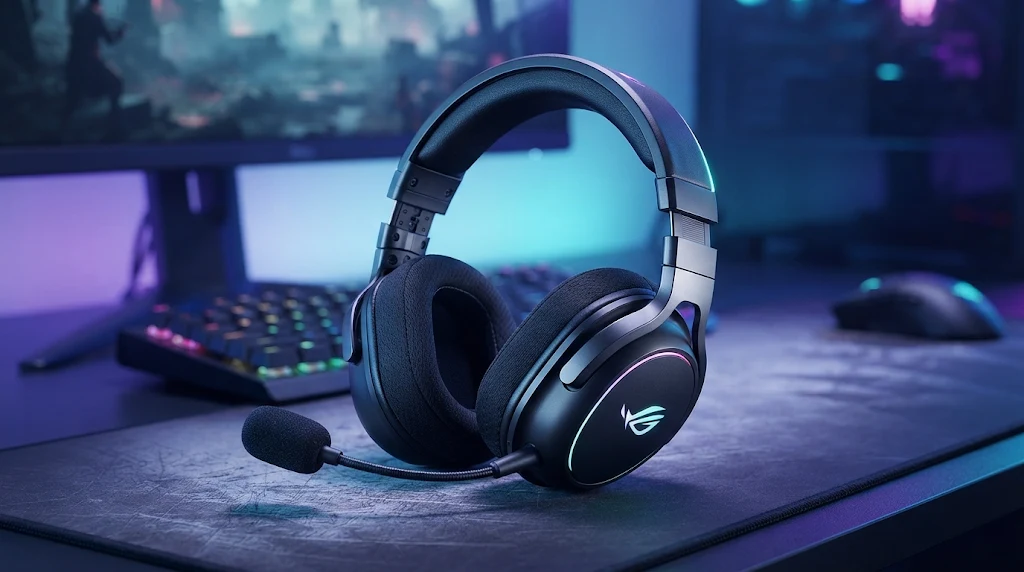
Gaming has become more enjoyable with modern accessories that improve sound, communication, and comfort. A good gaming headset helps players hear important sounds, communicate with teammates, and enjoy their favorite games without disturbing other people. Among the different gaming accessories available today, wireless headsets have become a popular choice.
The best wireless gaming headset offers a combination of clear audio, a reliable microphone, comfortable ear cushions, and a stable wireless connection. Unlike traditional wired headsets, wireless models allow users to move around without dealing with cables connected to their computers or consoles.
However, choosing the right headset can be challenging because different models offer different features, battery capacities, sound technologies, and compatibility options. Some are designed for competitive gaming, while others focus on comfort, music, and everyday entertainment.
In this guide, we will explore some popular wireless gaming headsets, compare their important features, and explain what you should consider before choosing one. Whether you play on a PC, PlayStation, Xbox, or another compatible device, this article will help you understand the available options.
Table of Contents
What Is a Wireless Gaming Headset?
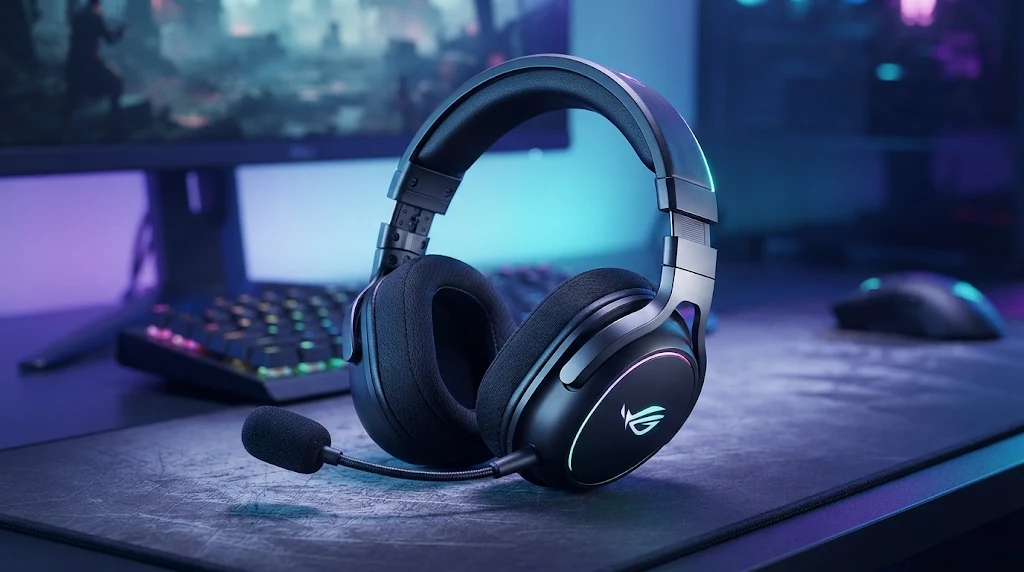
A wireless gaming headset is an audio device that allows players to hear game sounds and communicate with other players without using a traditional wired connection. Most gaming headsets include two earcups, a built in or detachable microphone, volume controls, and wireless connectivity.
Many modern wireless headsets use a USB wireless adapter that connects to a computer or gaming console. Some models also support Bluetooth, allowing users to connect them to compatible smartphones, tablets, and laptops.
Wireless gaming headsets are designed for different gaming activities. They can help players hear environmental sounds, follow conversations, enjoy background music, and communicate during multiplayer matches. Their performance depends on audio quality, wireless technology, microphone design, and compatibility.
How Does a Wireless Gaming Headset Work?
Most wireless gaming headsets communicate with a computer or console through a wireless transmitter. The transmitter sends audio signals to the headset, allowing users to hear game sounds without a physical audio cable.
Some headsets use a USB-A or USB-C wireless dongle, while others support Bluetooth connections. Certain premium models offer both technologies, providing more flexibility when switching between gaming and everyday activities.
The headset usually contains a rechargeable battery that powers its wireless features. Users can charge it through a USB cable when the battery becomes low. Battery capacity and usage time vary between models.
Why Choose a Wireless Gaming Headset?
Wireless gaming headsets provide several benefits for people who want a convenient gaming experience. They remove the need for a traditional audio cable and allow users to move more freely around their gaming area.
They can also help create a cleaner gaming setup. Without additional cables around a desk or chair, users can organize their accessories more easily. This is particularly useful for people who have multiple gaming devices.
Freedom of Movement
One of the biggest advantages of a wireless gaming headset is freedom of movement. Players do not need to worry about pulling an audio cable or accidentally getting it caught on a chair or desk.
This flexibility is useful when taking short breaks, adjusting a gaming setup, or moving around a room. A stable wireless connection allows users to continue listening without being physically connected to their computer.
A Cleaner Gaming Setup
Many gamers prefer an organized desk with fewer visible cables. Wireless accessories can help create a more professional and comfortable gaming environment.
A wireless headset can be stored easily when it is not being used. It can also be paired with other wireless accessories, such as a mouse and keyboard, to reduce cable clutter.
Comfort and Convenience
Modern wireless headsets often include padded earcups, adjustable headbands, and lightweight materials. These features can make them comfortable for regular gaming and entertainment.
Some models also include Bluetooth connectivity, detachable microphones, and onboard controls. These additional features make certain gaming headsets useful for watching videos, listening to music, and joining online conversations.
Best Wireless Gaming Headset Options
Different wireless gaming headsets offer different advantages. Some focus on sound quality, others provide longer battery life, and some are designed for competitive multiplayer gaming.
The following models are worth considering when researching the best wireless gaming headset. The ideal option depends on your budget, gaming platform, and preferred features.
Razer BlackShark V3 Pro
The Razer BlackShark V3 Pro is a premium wireless gaming headset designed for users who want advanced connectivity and gaming focused audio. It combines 2.4GHz wireless technology, Bluetooth, and wired connectivity options.
One of its interesting features is simultaneous dual wireless connectivity. This allows users to listen to compatible audio sources through 2.4GHz and Bluetooth at the same time. The headset also includes active noise cancellation, which can help reduce unwanted background sounds.
Its detachable boom microphone provides a dedicated option for multiplayer communication. The headset also offers up to 70 hours of battery life under specified conditions. It is an interesting choice for people looking for premium wireless features, although its price may be higher than entry level alternatives.
SteelSeries Arctis Nova 7 Gen 2
The SteelSeries Arctis Nova 7 Gen 2 is another popular option for people who want a versatile wireless gaming headset. It combines 2.4GHz wireless connectivity with Bluetooth, making it suitable for different entertainment activities.
One of its main attractions is the ability to use both wireless connections simultaneously. This can be helpful for someone who wants to hear game audio while receiving audio from a connected phone.
The headset offers a rated battery life of up to 50 hours and includes a retractable microphone. Its broad platform support makes it worth considering for people who use several gaming devices. However, users should check the exact version because compatibility can differ between the standard, PlayStation, and Xbox variants.
HyperX Cloud III S Wireless
The HyperX Cloud III S Wireless is designed for people who value comfort, battery life, and flexible connectivity. It supports both 2.4GHz wireless and Bluetooth, allowing users to switch between compatible devices.
The headset features angled 53mm drivers and a detachable boom microphone. It also includes a built in microphone for certain everyday communication situations.
One of its biggest attractions is its rated battery life of up to 120 hours under specified conditions. This can reduce the need for frequent charging. Its comfortable design makes it an interesting option for extended gaming and entertainment sessions.
Audeze Maxwell 2
The Audeze Maxwell 2 is a premium wireless gaming headset aimed at users who place a strong emphasis on sound quality. Audeze is known for its planar magnetic audio technology, which is an important part of this headset’s design.
Planar magnetic drivers use a different approach to producing sound compared with traditional dynamic drivers. They are often associated with detailed audio reproduction, making them interesting for people who enjoy music as well as gaming.
The Maxwell 2 is a higher end option, so it may not fit every budget. Before choosing it, users should compare its price, weight, comfort, microphone features, and platform compatibility with other available headsets.
Logitech G Pro X 2 LIGHTSPEED
The Logitech G Pro X 2 LIGHTSPEED is designed for gamers who want a premium wireless audio experience. It features graphene drivers and Logitech’s LIGHTSPEED wireless technology.
The headset is also known for its gaming focused design and customizable audio options. Logitech’s software provides additional settings for users who want to adjust their audio and microphone experience on supported systems.
Its rated wireless battery life is up to 50 hours. It also supports Bluetooth and wired connectivity, depending on the connection method. This makes it a useful option for users who want flexibility between gaming and everyday listening.
PowerA LucidSound LS500
The PowerA LucidSound LS500 is another model worth researching when comparing more affordable wireless gaming options. Budget friendly headsets can be useful for players who want wireless convenience without paying for every premium feature.
When considering this model, check its exact version, platform compatibility, microphone quality, battery performance, and available connectivity options. These details are important because a headset that works with one console may not support another in the same way.
A lower price does not automatically mean a poor experience. The best budget headset is one that provides the features you actually need without unnecessary extras.
Wireless Gaming Headset Comparison Table
Comparing important specifications can make it easier to understand the differences between popular wireless gaming headsets. The table below provides a quick overview of several models and their main strengths.
| Gaming Headset | Main Feature | Wireless Options | Battery Information |
|---|---|---|---|
| Razer BlackShark V3 Pro | Premium gaming audio and ANC | 2.4GHz, Bluetooth | Up to 70 hours |
| SteelSeries Arctis Nova 7 Gen 2 | Dual wireless connectivity | 2.4GHz, Bluetooth | Up to 50 hours |
| HyperX Cloud III S Wireless | Comfort and battery life | 2.4GHz, Bluetooth | Up to 120 hours |
| Audeze Maxwell 2 | Planar magnetic audio | Wireless options vary by version | Check manufacturer specifications |
| Logitech G Pro X 2 LIGHTSPEED | Graphene drivers | LIGHTSPEED, Bluetooth | Up to 50 hours |
| PowerA LucidSound LS500 | Budget oriented option | Check exact model | Check manufacturer specifications |
Note: Battery figures are manufacturer rated or published specifications and can vary depending on volume, lighting, wireless mode, and other settings. Compatibility and features should be checked for the exact model before purchase.
Important Features to Consider Before Choosing a Wireless Gaming Headset
Finding the best wireless gaming headset requires more than comparing brand names. Two headsets may look similar but provide very different audio experiences, microphone performance, comfort, and battery life.
Understanding the main specifications can help you make a better decision. It is important to consider how and where you will use the headset instead of focusing only on marketing claims.
Sound Quality
Sound quality is one of the most important features of a gaming headset. Clear audio can make games more immersive and help players notice important sounds in their surroundings.
Look for a headset that provides balanced audio across different frequencies. Strong bass can make action scenes more exciting, while clear midrange and high frequency sounds can help reproduce dialogue and environmental details.
Some headsets also support virtual surround sound or spatial audio. These features can create a more immersive listening experience, although the results depend on the game, software, and individual preferences.
Microphone Quality
A good microphone is important for multiplayer gaming. Players often use voice chat to communicate with teammates, share information, and coordinate their activities.
Some wireless headsets include detachable boom microphones, while others use retractable or built in microphones. A boom microphone positioned near the mouth can provide more consistent voice pickup than a microphone placed farther away.
Noise reduction features can also help reduce unwanted background sounds. Before choosing a headset, consider microphone clarity, mute controls, and whether the microphone can be removed when it is not needed.
Wireless Connectivity
Wireless connectivity affects how easily a headset communicates with gaming devices. Many gaming headsets use 2.4GHz wireless technology because it is designed to provide a responsive audio connection.
Bluetooth is useful for connecting to smartphones, tablets, and compatible laptops. Some models support both Bluetooth and 2.4GHz, providing more flexibility.
If you use several devices, check whether the headset supports simultaneous connections or requires you to switch between them. This feature can make everyday use more convenient.
Battery Life
Battery life is another important factor when choosing a wireless gaming headset. A headset with longer battery life requires less frequent charging and can be more convenient for regular use.
Some models offer around 30 to 50 hours of rated battery life, while others advertise more than 100 hours under specific conditions. These figures are not always directly comparable because manufacturers may use different testing settings.
Battery performance can change with volume levels, RGB lighting, microphone use, and wireless modes. Checking real-world reviews can provide a better understanding of how long a headset lasts during normal use.
Comfort and Build Quality
Comfort matters because gaming headsets are often worn for extended periods. A headset that feels uncomfortable can distract users and make gaming less enjoyable.
Look for adjustable headbands, soft ear cushions, and earcups that fit comfortably around your ears. Materials also matter because they influence durability, heat buildup, and the overall feel of the headset.
Weight is another consideration. Some people prefer lightweight models, while others enjoy the solid construction of larger premium headsets. The right choice depends on personal preference and fit.
Compatibility
Compatibility should always be checked before purchasing a wireless gaming headset. Not every wireless headset works with every computer, console, or mobile device.
PC users generally have several connection options, but PlayStation and Xbox systems can have different wireless requirements. Some headsets are sold in separate versions for different consoles.
Nintendo Switch support may also depend on the model and connection method. Always check the manufacturer’s compatibility list for the exact headset version instead of assuming that every product from the same brand supports all platforms.
2.4GHz Wireless vs Bluetooth for Gaming
Wireless gaming headsets commonly use 2.4GHz connections or Bluetooth. Both technologies provide wireless audio, but they are designed for different purposes.
A 2.4GHz connection through a dedicated USB dongle is generally preferred for gaming because it can provide lower audio latency. This helps keep sound more closely synchronized with the action on the screen.
Bluetooth offers wider compatibility with mobile devices and other electronics. However, latency and audio performance can depend on the Bluetooth version, codec, and connected device.
For players who want both gaming and everyday convenience, a headset that supports both technologies can be a practical option.
Wireless Gaming Headsets for Different Platforms
The best wireless gaming headset can depend on the device you use. A model that works perfectly with a PC may require a different connection or version for a gaming console.
Before purchasing, check the manufacturer’s compatibility information and the connection options available on your device. This simple step can prevent problems after buying a new headset.
Wireless Gaming Headsets for PC
PC gamers usually have access to several wireless headset options. Many models connect through USB wireless adapters, while others support Bluetooth.
PC users may also benefit from companion software that allows them to adjust equalizer settings, microphone levels, and other audio features. Some headsets provide additional surround sound settings through supported applications.
Wireless Gaming Headsets for PlayStation
PlayStation users should check whether a headset officially supports their particular console. Some models work through a compatible USB wireless adapter, while others provide additional Bluetooth or wired options.
A headset’s microphone and audio features may also vary depending on the connection method. Checking the product specifications before purchasing is important.
Wireless Gaming Headsets for Xbox
Xbox compatibility requires special attention because Xbox consoles use specific wireless connection requirements. A standard USB wireless dongle is not automatically compatible with Xbox systems.
Look for an Xbox compatible model or an officially licensed version. If you also use a PC or PlayStation, compare the supported devices to find a headset that works with your complete gaming setup.
Are Expensive Wireless Gaming Headsets Worth It?
Premium wireless gaming headsets often include additional features such as advanced drivers, improved microphones, simultaneous wireless connections, active noise cancellation, and more customization options.
These features can improve convenience and the overall listening experience. However, a higher price does not automatically guarantee that a headset will be the right choice for every gamer.
A budget or mid range headset may provide everything a casual player needs. If you mainly play games occasionally, a comfortable headset with reliable connectivity and a clear microphone may be more valuable than expensive extra features.
Common Mistakes When Choosing a Gaming Headset
One common mistake is purchasing a headset based only on its brand or appearance. A stylish design does not guarantee good sound quality, microphone performance, or comfort.
Another mistake is ignoring platform compatibility. Buyers sometimes assume that a wireless headset will work with every console because it uses a USB adapter or Bluetooth. This is not always true.
Some users also focus too heavily on advertised battery life without checking how it was measured. Actual performance can change depending on settings and usage. Reading product specifications and independent reviews can help you avoid these mistakes.
How to Maintain a Wireless Gaming Headset
Taking proper care of a wireless gaming headset can help maintain its performance and appearance. Regular cleaning is useful because ear cushions and other surfaces can collect dust and everyday dirt.
Use a soft, dry cloth to clean the headset according to the manufacturer’s care instructions. Avoid using excessive moisture around electronic components, charging ports, and microphone connections.
Battery care is also important. Use the recommended charging cable, avoid exposing the headset to extreme temperatures, and store it in a clean, dry place when it is not being used.
Why Are Wireless Gaming Headsets Trending?
Wireless gaming headsets have become popular because modern gamers want more convenience and flexibility from their accessories. Many people now use the same headset for gaming, music, online meetings, and entertainment.
Improvements in wireless technology have also made modern gaming headsets more attractive. Dedicated wireless connections can provide responsive audio, while Bluetooth support makes it easier to connect to additional devices.
Another reason for their popularity is the growing interest in organized gaming setups. Wireless keyboards, mice, controllers, and headsets can help create a cleaner environment with fewer cables.
Latest Update: Wireless Gaming Headset Trends
The wireless gaming headset market continues to develop, with manufacturers focusing on better connectivity, longer battery life, improved microphones, and more comfortable designs.
Recent 2026 buying guides highlight features such as simultaneous 2.4GHz and Bluetooth connections, extended battery ratings, and platform specific compatibility. Newer premium models also place more attention on noise cancellation and customizable audio.
For buyers, this means there are more options across different budgets and gaming platforms. However, the most important features remain sound quality, microphone performance, comfort, battery life, and reliable compatibility.
Before purchasing a headset, compare current specifications and independent reviews because product availability, prices, and software features can change over time.
Frequently Asked Questions
What is the best wireless gaming headset?
The best wireless gaming headset depends on your budget, preferred platform, and requirements. Models such as the Razer BlackShark V3 Pro, SteelSeries Arctis Nova 7 Gen 2, and HyperX Cloud III S Wireless offer different combinations of sound quality, comfort, connectivity, and battery life.
Is a wireless gaming headset better than a wired headset?
A wireless gaming headset offers more freedom of movement and reduces cable clutter. A wired headset does not require battery charging and can provide a simple connection. The better option depends on your gaming habits and personal preferences.
Is 2.4GHz better than Bluetooth for gaming?
A dedicated 2.4GHz wireless connection is generally better for gaming because it offers lower latency than many standard Bluetooth connections. Bluetooth is useful for connecting to smartphones and other compatible devices.
How long does a wireless gaming headset battery last?
Battery life varies depending on the headset model and usage. Some wireless gaming headsets offer around 30 to 50 hours, while certain models advertise more than 100 hours. Volume, RGB lighting, and wireless settings can affect actual battery performance.
Can I use a wireless gaming headset with PS5 and Xbox?
Some wireless gaming headsets support both PlayStation and Xbox, but not all models do. Xbox has specific wireless compatibility requirements. Always check the exact product version and official compatibility information before buying.
Are wireless gaming headsets good for competitive gaming?
Yes, many wireless gaming headsets are suitable for competitive gaming. Models with reliable 2.4GHz connections can provide responsive audio, while clear microphones help players communicate with teammates.
What should I look for in a gaming headset microphone?
Look for clear voice reproduction, convenient mute controls, and good background noise rejection. A detachable or retractable boom microphone can also be useful because it can be moved out of the way when not needed.
Is a premium wireless gaming headset worth buying?
A premium headset can be worthwhile if you need advanced sound features, better connectivity, longer battery life, or additional comfort options. However, a more affordable headset may be sufficient for casual gaming and everyday entertainment.
Conclusion
Choosing the best wireless gaming headset can improve your gaming experience by providing clear audio, convenient wireless connectivity, and comfortable everyday use. Modern headsets offer several useful features, including dedicated 2.4GHz connections, Bluetooth, customizable audio, advanced microphones, and longer battery life.
You may also find this blog on below website :
Try Our free tools :

Muhammad khubaib
Gaming editor and browser game strategist at PlayStrom.
📖 Related Blog Articles
GTRACING Gaming Chair: Features, Comfort, Models, Pros, Cons, and Buying Guide
A gaming chair should support your posture, fit your desk, and remain comfortable during long gaming sessions. The GTRACING gaming chair offers…

Best PS5 Games: Top Games Worth Playing in 2026
Finding the best PS5 games is easier when you know what kind of experience you actually want. From creative adventures and competitive…
Will GTA 6 Be on PC? Release Date, Rumours and Latest News
Many gamers are asking: will GTA 6 be on PC? While a PC version is reportedly planned, Rockstar Games has not officially…
Related & Recommended Games

2048 Neon Edition
2048 Neon Edition is a custom-coded sliding tile puzzle game built from scratch using HTML5 and Vanilla JS.

Neon Snake Arcade
Neon Snake Arcade is a custom free web browser snake game built natively with HTML5 canvas and responsive touch controls.

2048 Puzzle Web
2048 is a free daily sliding block puzzle browser game where players slide numbered tiles to merge them into 2048.